

Manage what appears across your screens from one place, helping you keep content timely, consistent and relevant across different sites, audiences and environments.
From promotions and internal updates to wayfinding, visitor information and urgent messages, digital signage gives you greater control over what people see, without updating every screen manually.
Centralcontent management | Smart scheduling | Remote control | Reporting
Change content centrally instead of relying on individual teams or locations to update screens.
Maintain clearer brand and communication standards while still allowing relevant local content.
Change urgent messages, promotions or operational information when priorities shift.
Schedule and automate routine content so your teams spend less time making repetitive changes.
WHERE DIGITAL SIGNAGE CAN WORK HARDER
Digital signage can support very different communication needs without forcing every screen to show the same message.
Promote offers, products, launches and timely information where customers are most likely to see it.
Welcome your teams and visitors, share arrival information and reinforce your brand from the moment they enter.
Help visitors navigate buildings, floors, departments, venues or events with clearer directional information.
Keep employees informed with news, performance updates, events and important operational messages.
Keep messaging consistent and on brand with centralised control, while tailoring content to individual branches, offices or regions.
Replace scheduled content quickly when customers or teams need important information straight away.
commercial display control
The CMS controls the message, but the screens and management tools still need to suit the space, audience and scale of your estate.
Bring commercial display technology from Samsung and Hisense together with centralised content and device management, helping you keep screens consistent, visible and easier to manage across locations.
Explore HiSense displays


01
Professional displays built for reliable, sustained use across customer, visitor and workplace environments where consistency and image quality matter.
02
Flexible commercial and interactive displays suited to signage, collaboration and larger-format spaces where touch, scale or versatility matter.
03
Create, schedule and publish on-brand content across multiple screens, locations and audiences from one central platform.
04
Monitor supported displays remotely, manage settings and schedules, and spot faults or performance issues without visiting site.
MANAGE MORE THAN THE MESSAGE
Managing digital signage is not only about what appears on screen. When displays are spread across different rooms, buildings or locations, you also need a clear view of how those devices are performing.
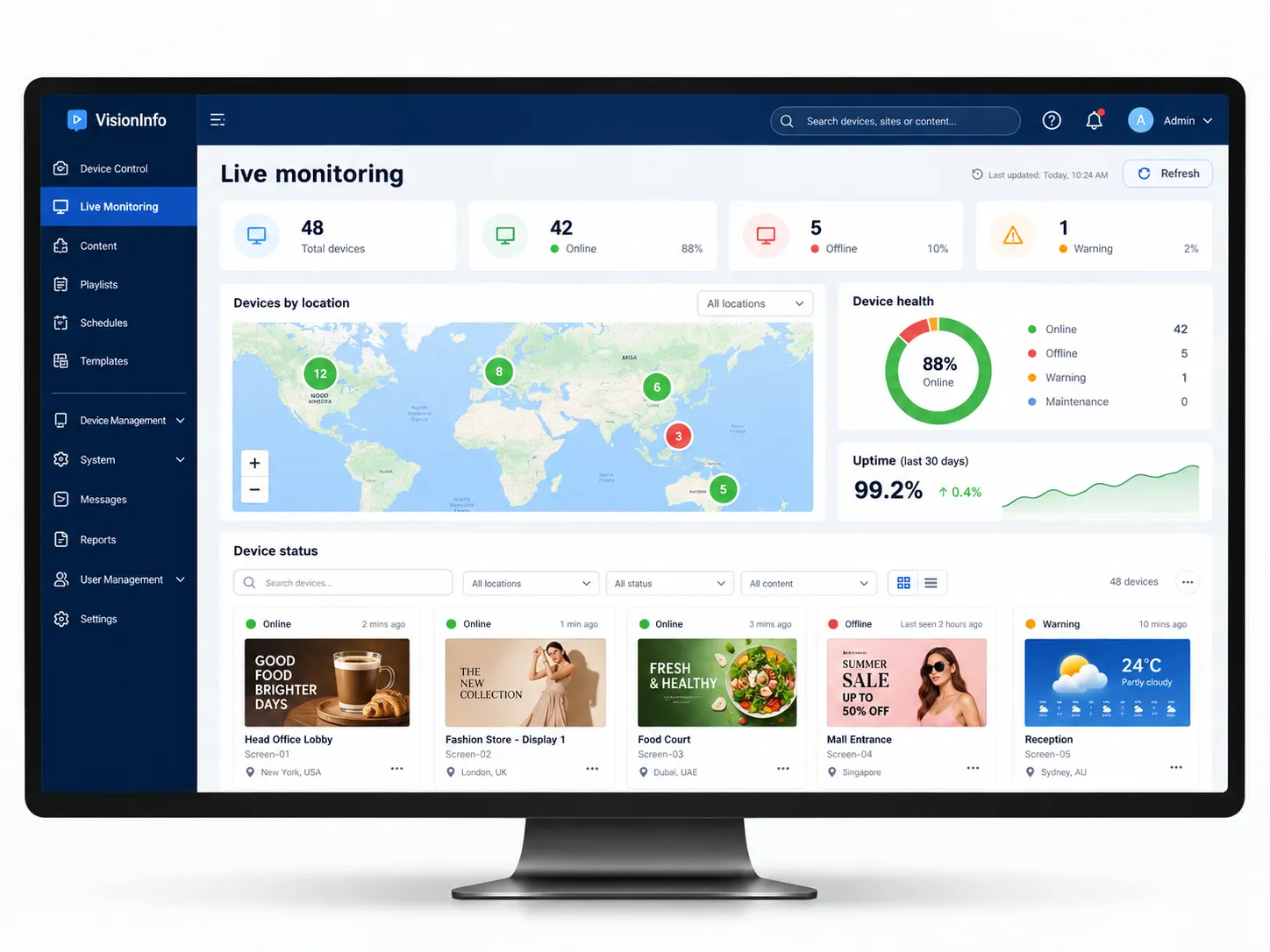
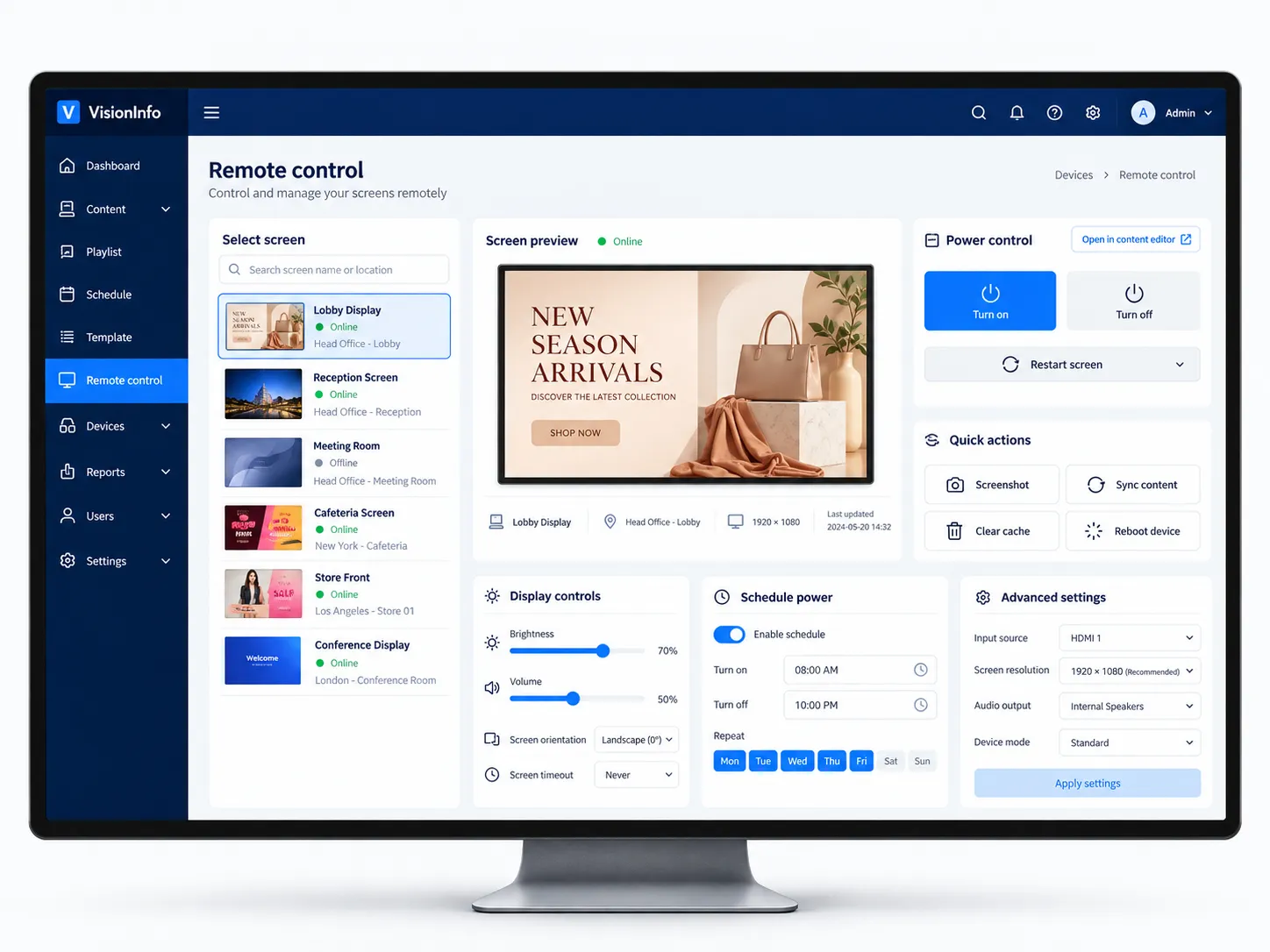
Platforms such as Hisense VisionInfo and Samsung VXT give you greater visibility and control across supported displays, helping you monitor screen status, manage settings, schedule updates and respond to issues without checking every device in person.
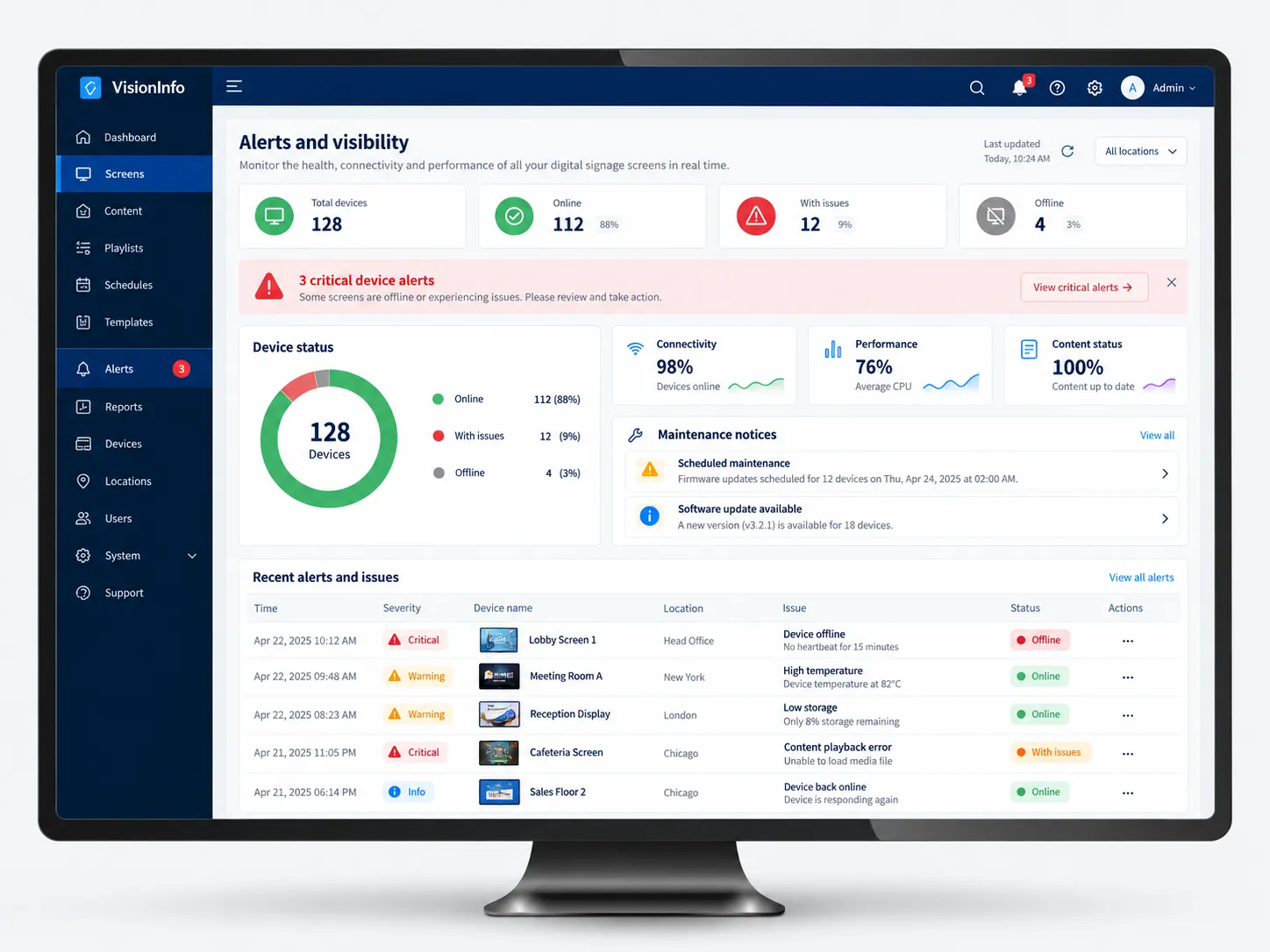
See which displays are online, offline or showing signs of an issue from one central view.
Power screens on or off, restart devices and adjust supported settings without visiting site.
Keep supported firmware and applications up to date across the display estate.
Spot connectivity, playback or device issues sooner and act before they cause wider disruption.
CONTENT VISIBILITY
Once the displays are in place, the next challenge is keeping the content relevant. Different sites, audiences and times of day may need different messages, and updating screens individually quickly becomes difficult as the estate grows.
Hisense VisionInfo and Samsung VXT give you one place to create, schedule and publish content across supported displays. That makes it easier to keep messaging consistent, react quickly to changes and tailor what appears by location, screen or audience.
01
Build and adapt layouts using images, video, widgets and other digital content.
02
Plan messages around key dates, opening or event times, campaigns or recurring requirements.
03
Deploy tailored content where it needs to be seen - by screen, time, site, region or audience.
04
Push new or updated content across selected screens from one central platform.
05
Use reporting and performance information to understand what is running and refine future campaigns.
why choose dbfb
Digital signage works best when the content platform, screens, connectivity and ongoing support are considered together. Rather than leaving you to piece those parts together, dbfb can help shape the full setup around your locations, audiences and how often your messaging needs to change.
01
Plan how content will be created, scheduled and managed before the screens are rolled out.
02
Bring VisionInfo, Hisense displays and wider Yealink collaboration technology together where needed.
03
Shape content, permissions and schedules around different sites, audiences and screen types.
04
Connect signage with Managed AV, display monitoring and wider workplace support as needs change.
CONNECTED WORKPLACE
Displays need to be suitable for their location and hours of use. Content platforms need reliable connectivity and secure access. Internal teams also need support when screens or updates do not behave as expected.
Choose professional screens from Samsung, Hisense and Yealink to suit your space, audience and signage needs.
Bring displays, cameras and collaboration technology together in meeting and presentation spaces.
Give cloud-based content management and connected screens the network access they rely on.
Take more of the monitoring, troubleshooting and ongoing management away from your internal team.
quick answers
NEXT STEP
Bring content, scheduling and screen management together in one easier-to-manage setup.